For solo engineers & small trade businesses
Paper job sheets are history.
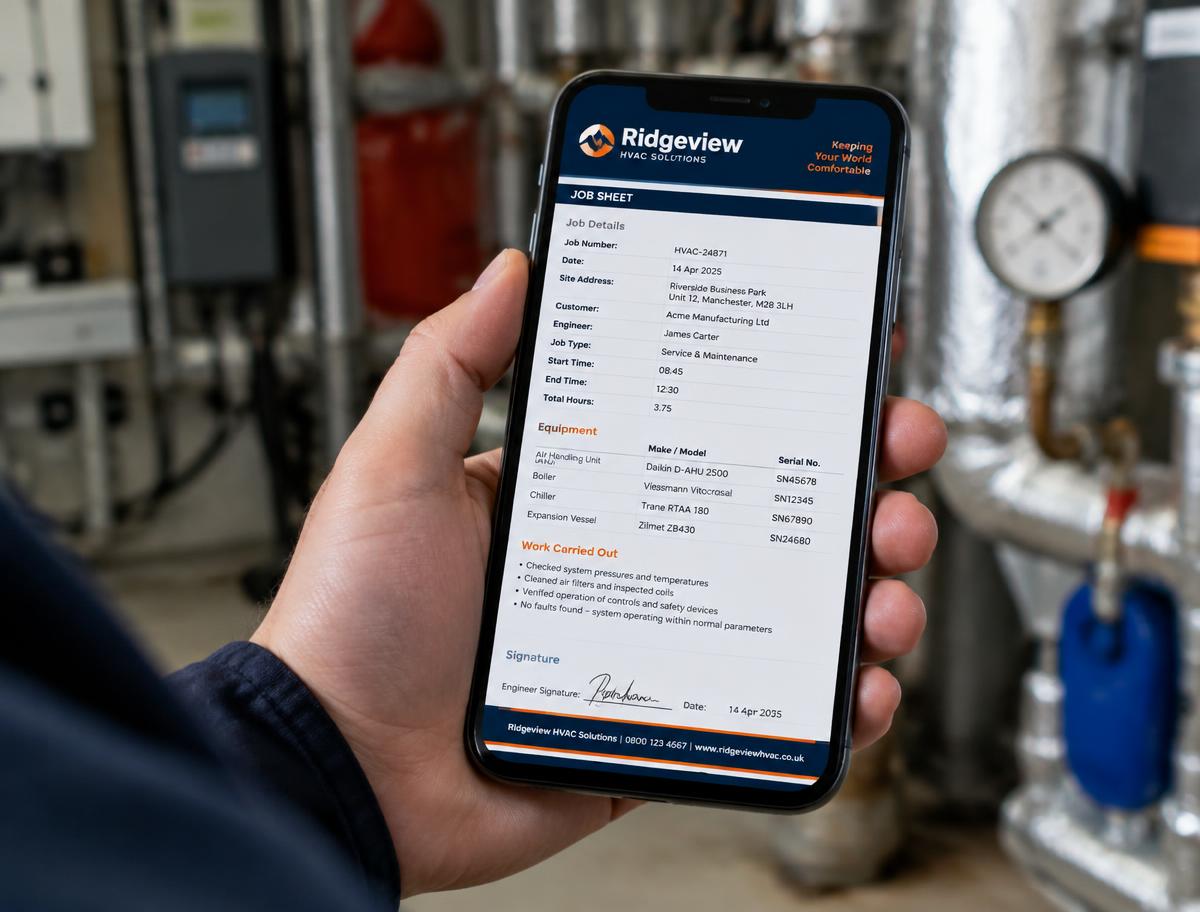
Solo Engineer Pro is a simple job sheet app that turns your phone into a professional PDF job sheet — filled in, signed and emailed to the client in under 60 seconds. Every job saved to your own client database.
- 15-day free trial — no card needed
- Works on any phone — add it to your homepage like an app
- Each company sees only its own clients
Everything the paper pad did — and more
Digital job sheets built for field service engineers and small trade businesses running jobs from a phone: less admin at the end of the day, professional paperwork in front of the customer.
Under 60 seconds
Pick the client, fill in a few fields on your phone, tap send. A clean, professional PDF is ready before you've left the driveway.
Replaces the paper pad
Job number, site address, equipment, serial numbers, times, fault, signature — everything a paper sheet had, without the carbon copies.
Emailed from the job
The PDF opens straight in your email app with the client on To and your company on copy. No printing, no posting, no typing it up later.
Your own client database
Every client and job sheet is saved to your company's private database. Type a name and the details fill themselves in.
Photos on the sheet
Add up to eight photos of the work and they appear on the PDF — proof of condition, before and after.
Works in plant rooms
No signal? The form autosaves and queues the job. It sends itself when you're back online.
QR code on every PDF
Customers scan the code to save your company name, phone, email and address straight into their contacts.
Your branding
Your logo, company details, VAT number and job cost appear on every sheet — consistent paperwork for every job.
Search a client's asset list
Pick a client and see every unit on site — type, make, model and serial number — with all the job sheets linked to that asset, ready to open.
Site maintenance log & asset sheet
Keep a running register of the equipment at each site, add your comments, and print it as a clean asset sheet PDF for the customer or your own records.
Three taps to a finished job sheet
1. Pick your client
Type the name to search your saved clients — the address, contacts and service history fill themselves in.
2. Fill in the job
Start and finish times, make, model, serial number, fault reported, photos and a signature — all from your phone.
3. Email the PDF
Tap send and the professional job sheet opens in your email app, addressed to the client, with a copy to you.
Simple pricing
Start with a 15-day free trial — no card needed. Then pick the plan that suits you. Paying adds the days on top of any time you have left.
30 days
£10
Perfect for trying it out after your free trial
6 months
£55
182 days — our most popular choice
12 months
£100
365 days — two months cheaper than monthly
Ready to bin the paper pad?
Register your company and create your first professional job sheet today.
Common questions
What is job sheet software?
Job sheet software replaces the paper pad in the van. You fill in the job on your phone — client, address, equipment, fault, times, photos and a signature — and it produces a professional PDF job sheet that's emailed to the customer straight away.
Is there a free job sheet app trial?
Yes — Solo Engineer Pro comes with a 15-day free trial, no card needed. You get the full app: PDF job sheets, photos, your own client database and offline use in plant rooms.
Can I use it as a mobile job sheet app?
That's exactly what it's built for. It installs on your phone's homepage like an app, works without signal, and every job is tracked against the client it was for.
Does it replace my paper job sheet template?
Yes. Your company details, logo, job number and VAT settings are remembered for you, so every sheet comes out consistent — no more carbon copies or forgotten fields.
Can I look up a client's equipment and print an asset sheet?
Yes. Search a client's asset list to find a unit by make, model or serial number and see every job sheet linked to it. You can also keep a site maintenance log — a register of all the equipment on site with type, make, model, serial number and comments — and create an asset sheet PDF from it in a tap.
Who is it for?
Solo engineers and small trade businesses — refrigeration, air conditioning, heating, plumbing, electrical and similar field service work — who want simple job tracking without the big-company price.